



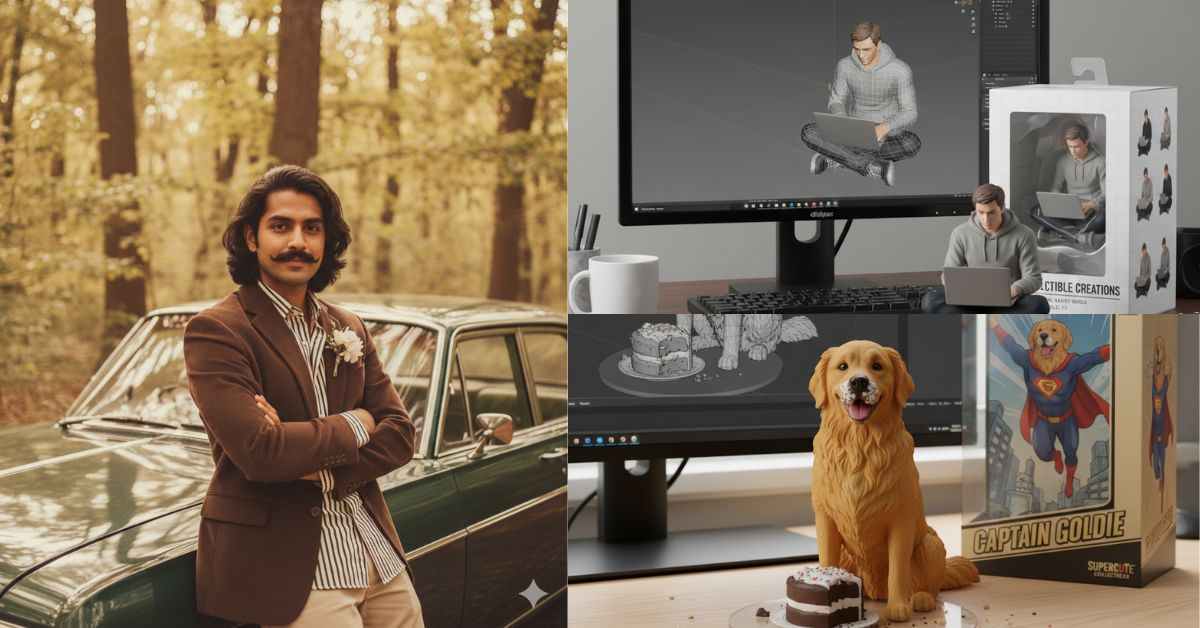
The Internet never fails to surprise us with quirky and creative trends, and the latest to take over social media is the “nano banana” trend. If you scroll through Instagram, Tiktok, or X recently, you may come across a shiny, cartoon-like figurine that looks almost unrealistic. Meet Nano Banana trends, the playful nickname for the new wave of Ultra-Realistic 3D Digital Figures, created with Google’s AI tool Gemini 2.5 Flash Image.
These are not hand-made models or expensive product replicas. They are produced, polished, adorable and anyone can make it with just a few clicks. From pets and favorite celebrities to politicians (Prime Minister of Assam, one jumped on trends), users are making and sharing their own nano bananas.
It’s not just how dazzling they are that it makes nanobananas so viral. That’s how accessible the whole process is. You don’t have to be tech-savvy or pay cents. Whether you wanted a samurai dog, a cartoon shattered figurine, or your miniature, it’s all doable and instantly shareable. Easy to create retro style images and 3D figurines with free simple prompts.
Why did the nanotrend take off?
Nano Banana Craze exploded with Google’s Gemini 2.5 “Flash Image” (the model behind Nano Banana) as it is easy and instantly impressive as it allows you to create high-quality, realistic 3D figurine images of studio quality in seconds for free.
It is also creatively flexible. You can upload photos, enter detailed text prompts, and both. The tool generates polished “minime” or custom characters that appear to come directly from a collectible photo shoot with realistic expressions, clothing details, and even box-style packaging mockups. That freedom encourages and mixing images is exactly why people from enthusiasts to content creators have tried it and rushed.
Finally, this trend has given us social momentum. As influencers, creators, politicians and everyday users began posting nanobananas on Tiktok, Instagram, X and YouTube, shiny, shareable results quickly spread, and with public figures and large accounts taking part, the trend moved from the niche to the mainstream almost overnight.
As of September 6, 2025, over 200 million images had been edited, many of which have created 3D figurines.
And the numbers keep 📈. I love seeing a variety of trends around the world, including 3D figurines, pet outfits, fashion eras and more. The creativity is amazing and the weekend is just beginning… https://t.co/z8rtq1caox
– Sundar Pichai (@sundarpichai) September 5, 2025
Nano Banana Model Prompt: How to create a Nano Banana 3D model for free?
Here’s a step-by-step guide on how to create a 3D model for free:
Step 1: Open Google AI Studio
It can be accessed directly from the Gemini app or the website.
Step 2: Select Method: Photo + Prompt, or only Prompt
Photo + Prompt is the recommended method. You need to upload a portrait or photo and then add a prompt to tell the model how to convert the photo into a collectible figurine.
Step 3: Write the prompt provided by Google.
Here is the official prompt from Google’s Twitter (X) account:
“Create in a 1/7 scale commercialized character, realistic style, and real environment in the photograph. The figurine is placed on a computer desk. The figurine has a round, transparent acrylic base, and the base has no text. The computer screen content is designed with this shape packaged package next to the printed print using this shape packaged package. The artwork features a two-dimensional flat illustration.”
From photos of one prompt to figurine style.
Thanks to Gemini’s nano bananas, people are enjoying turning their photos into images of custom miniature figures. Try your own photos, cool nature shots, family photos, or shots of your puppy.
Here’s how to create your own 🧵pic.twitter.com/e3s1jrlbdt
– Google Gemini App (@geminiapp) September 1, 2025
Step 4: Generate, review, repetition
Click the (Generate) button. Models usually produce results quickly within seconds.
Check the image. If something is missing (pose, face, clothing), change one of the prompts or try another photo.
Below are some examples created at the same prompt:
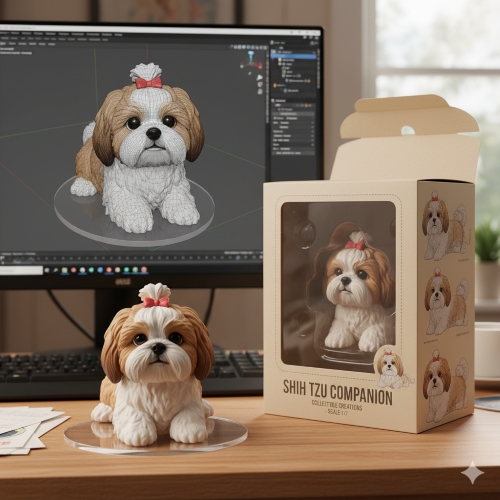
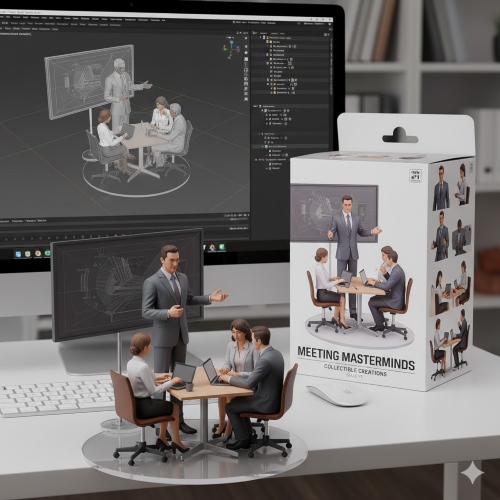
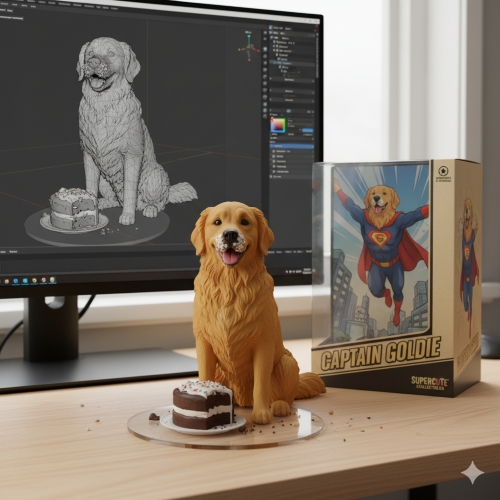
How do I use other nanobanana AI prompts?
Below are other prompts that can be used to experiment in this new mode:
Change the image to a retro style
Now you can turn the image into a retro style with a simple prompt. The steps that Yop should follow are:
Here is an example of a prompt
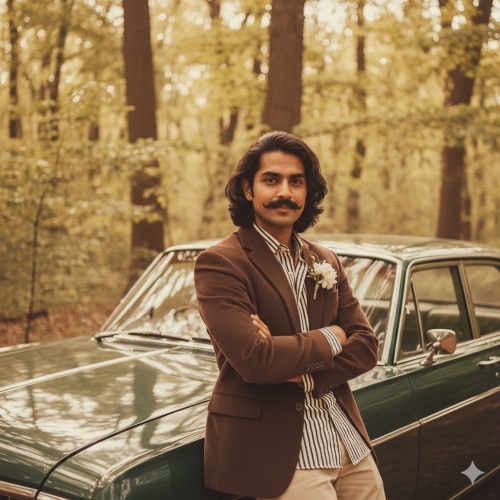
16-bit art made of nano bananas
A prompt posted by a Gemini user named Priya and Google Gemini have retweeted it to their X account.
First, ask them to upload their image. Then rethink me as a 16-bit video game character and put it in a 2D 16-bit platform video game
Currently Loaded: 16-bit art made of nano bananas👾🧵
Try using the prompt @priya_0608. “First, upload your own image. Then, rethink it as a 16-bit video game character and put it in a 2D 16-bit platform video game.”
Add to reply! https://t.co/jyq8vehmwi
– Google Gemini App (@geminiapp) September 9, 2025
Below are some examples created at the same prompt:
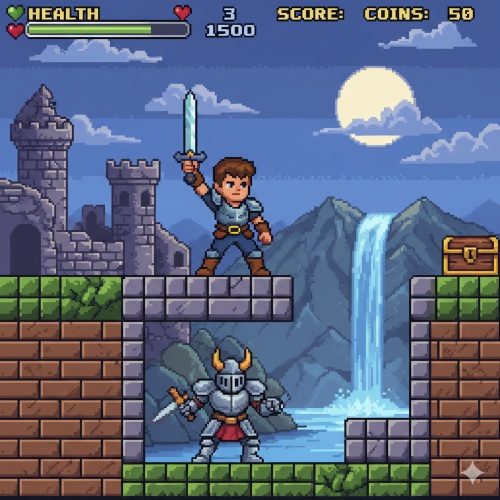
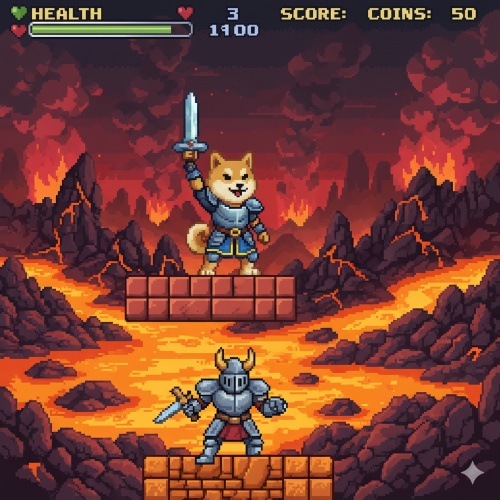
Turn any object into a 3D hologram
There is another fun prompt by Gemini that allows you to turn any object into a 3D hologram
Upload the photo and use the prompt “Convert (object) to 3D transparent line art hologram.”
Turns objects in the gemini app into 3D holograms. @alexanderchen used #Nanobanana & a webcam to create a transparent line art hologram of his pixel phone.
Try it: Upload the photo and use the prompt “Convert (object) to 3D transparent line art hologram”. …https://t.co/aq6fxzt4ao
– Google Gemini App (@geminiapp) September 5, 2025
Below is an example created with the same prompt
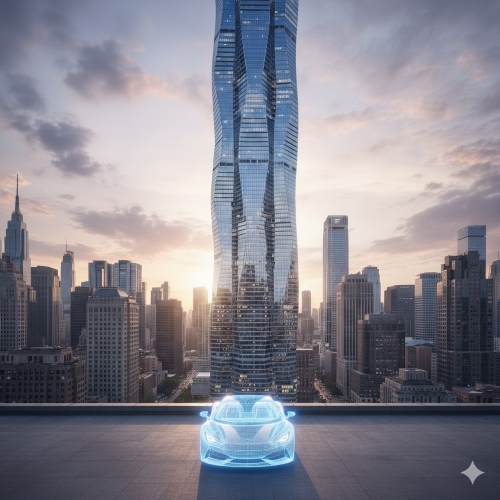
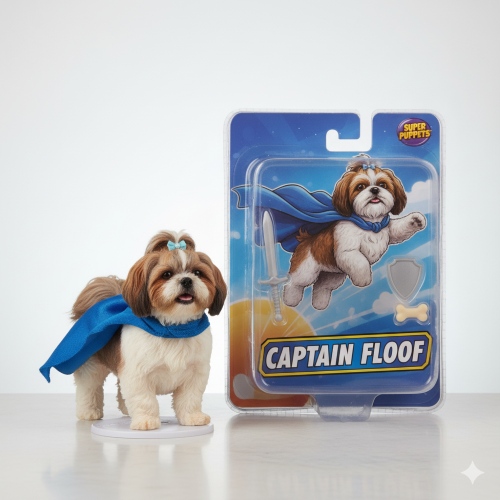
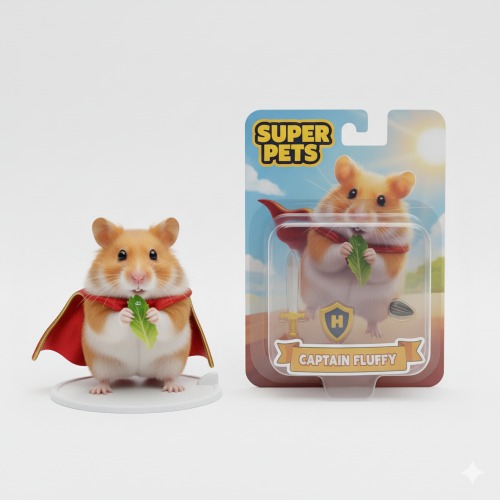
Pet action figure
Here’s how users can turn cute furry animals into action figures with just a single prompt shared on their Google Gemini X account:
Upload the image and prompts you to “turn your pet into a plastic action figure next to the package,” while the nanobanana handles the rest.
Your miniature Schnauzer has gotten even more minis.
Upload the image and prompts you to “turn your pet into a plastic action figure next to the package,” while the nanobanana handles the rest.
Share your results below ⬇️
– Google Gemini App (@geminiapp) September 10, 2025
Here are some examples created at the same prompt:
Nano Banana Prompt for Renaissance Paintings
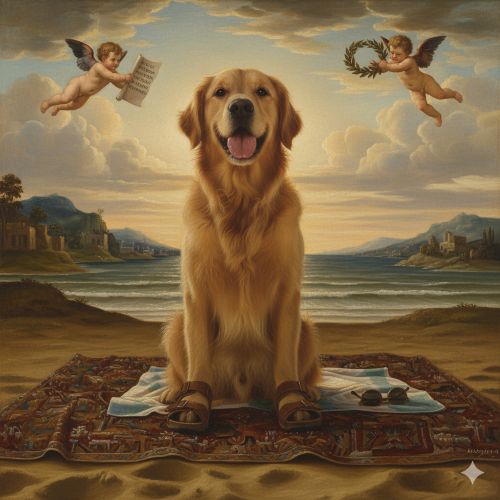
Here’s how to convert images into Renaissance paintings and see how these photos look in the museum: Here are some simple steps Gemini offers:
1. Go to GoogleAI
2. Upload multiple photos, or generate them
3. Ask Gemini, “What does this look like as a Renaissance painting?”
Special treatment is given to photos of museum selfies and groups using the new Nano Banana Image Creation & Editing Update. pic.twitter.com/etzgpiv08j
– Google Gemini App (@geminiapp) August 29, 2025
Here are some examples created at the same prompt:

Transformation for pets
Google Gemini also offers prompts to help you transform into a pet.
Meet Cooper, dogs… See you again jocks, veterinarians and dramatic actors. 🐶
Nano Banana allows you to give your pet (or yourself) a transformation with the Gemini app.
For more ideas, follow @geminiapp pic.twitter.com/mq06mcgv0p
– Google (@google) September 8, 2025
Combine photos into a single image
Here’s how to convert many images into a single image: The prompts are simple and can be generated quickly.
“The model is posing and leaning towards a pink BMW. She is wearing the following items. The scene is against a light gray background. The green alien is a keychain and attached to a pink handbag. The model has a pink parrot on its shoulder.
A new record? Thirteen images were merged into a single image using Gemini 2.5 Flash Image (Nano Banana). This collage method is definitely a banana! I’m surprised I can actually do this, but I feel it’s reaching the limit now, but even with 13 elements, it’s still getting… pic.twitter.com/soujlvcedb
– Travis Davids (@mrdavids1) August 27, 2025
Photos to 3D maps
There is another interesting prompt that you can create using interesting images.
Open Google Gemini App Use the prompt to upload photos: “Turn this photo into a stylized 3D world map for fantasy games. Include the village and port.”
Here’s an example of a Google Gemini blog

Image from pencil drawing
You can also turn your image into a beautiful pencil drawing. Here’s how to do it with a simple prompt.
Open the Google Gemini app
Upload a photo
Use the prompt: “Turn this photo into a pencil picture”
Here’s an example from the Google Gemini blog

Turn the ingredients into a dish
You can upload your photos to Google Gemini and turn the ingredients into dishes using an AI chatbot. Here are the steps:
Open Google Gemini AI
Upload a photo of the material
Use the prompt: “Turn these ingredients into sophisticated, delicious desserts inspired by these ingredients. Plate them as if they were cooking in a five-star avant-garde restaurant.”
Here is an example of a Google Gemini website:

Things to keep in mind while using nanobanana model prompts
Don’t create misleading deepfakes of people who can harm or mislead others. Respect people’s privacy and portrait rights. Public Person: While the generation of stylized images of public figures may be permitted, please note that misuse and platform rules are checked. Watermark: Google uses Gemini 2.5 SynthID watermark to mark Gemini 2.5 flash image output. This helps viewers and platforms identify the media generated by AI.
In conclusion, the nano-banana trends are evidence of how fast and quickly fun and creative tools can capture the internet’s imagination. What makes it special is that anyone can jump in and create their favorite type of image.

