



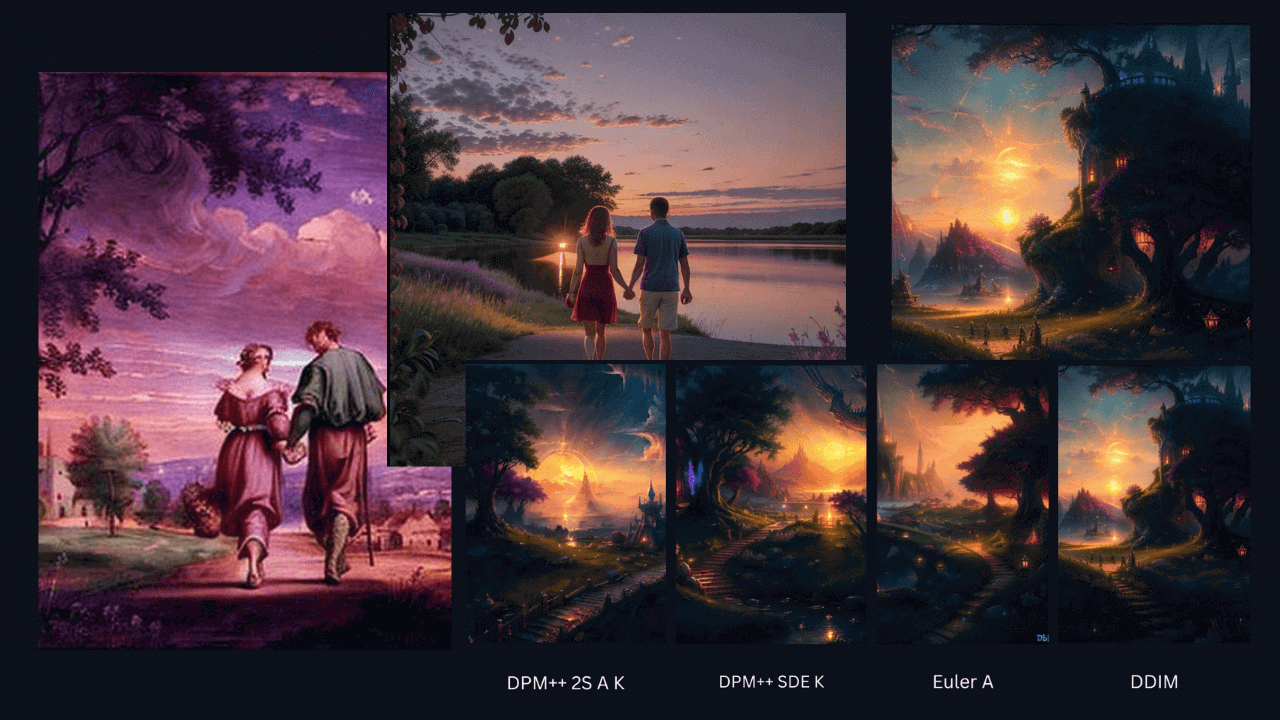
In this Neural Love review, we examine the core aspects of this AI art generator.
See what you can do with this online platform and learn about its limitations.
What is neurophilia?
Neural Love is a popular AI art generation tool. To date, users of the platform have created more than 15 million images.
Neural Love also has text-to-image and image-to-image tools, as well as a variety of audio, video, and image enhancements. It’s a robust online tool, but since the focus of this review is AI art generation, we’ll prioritize features related to that aspect.
Let’s get started!
Features
Online platforms are great options for creating free AI art. It also has some advanced image generation features. So let’s take a closer look at these.
text to image generator
Neural Love provides an easy way to create AI art. The text to image generator lets you choose one of seven styles, including photography, painting, anime, and cyberpunk.
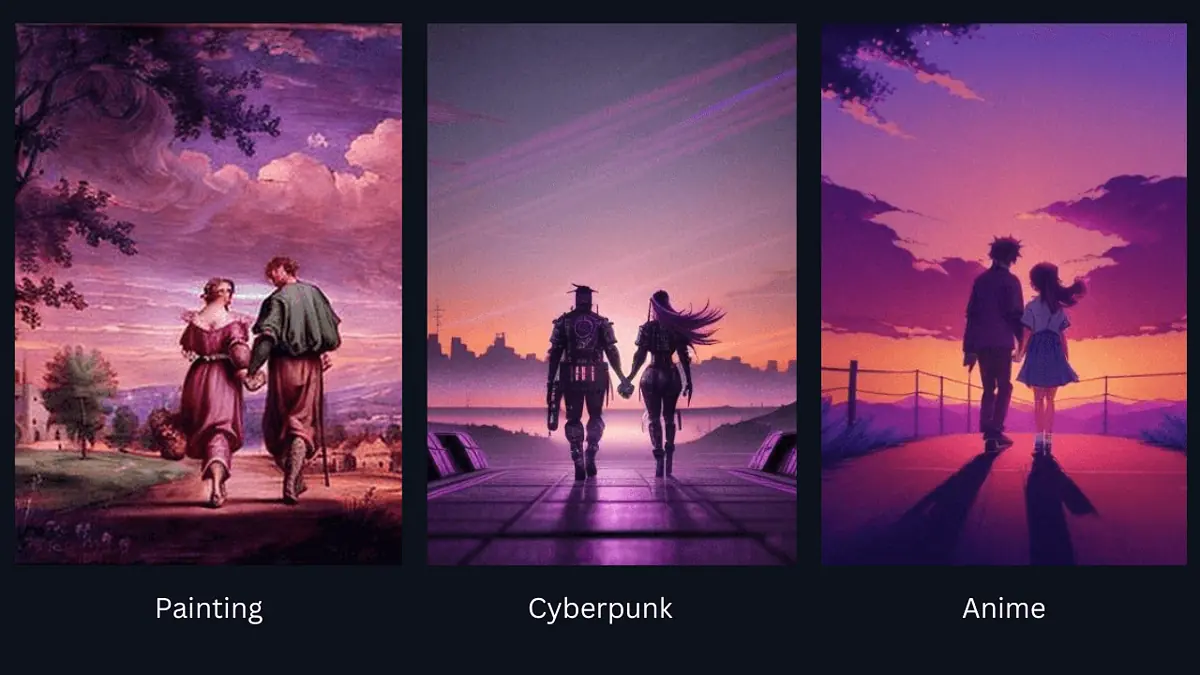
Apart from the option to type a prompt, you can also have the tool generate one for you.
Next, you can choose between two AI models: Neural Love’s AI model and DALL-E 3’s AI model. The latter produces high-quality images and allows you to better understand the prompt. If you use the DALL-E 3 model, 2 credits will be deducted from your balance for each image.
By comparison, the quality of AI images created using the free NL AI model varied. However, most of them were a little blurry and noisy, and people’s faces often looked weird too.
When it comes to image size, you can choose from three options to create horizontal, vertical, and square images. However, if you want to create large high-resolution images, you can use HD mode.
Images can be public or private, but the latter option requires credits or a paid subscription.
Other settings that affect the quality of the output image include steps, prompt guidance, and rendering engine. The more steps an image has, the higher the quality. Prompt guidance values are used to determine how closely the AI tool follows instructions. Also, different rendering engines produce different results. This can be seen in the image below.
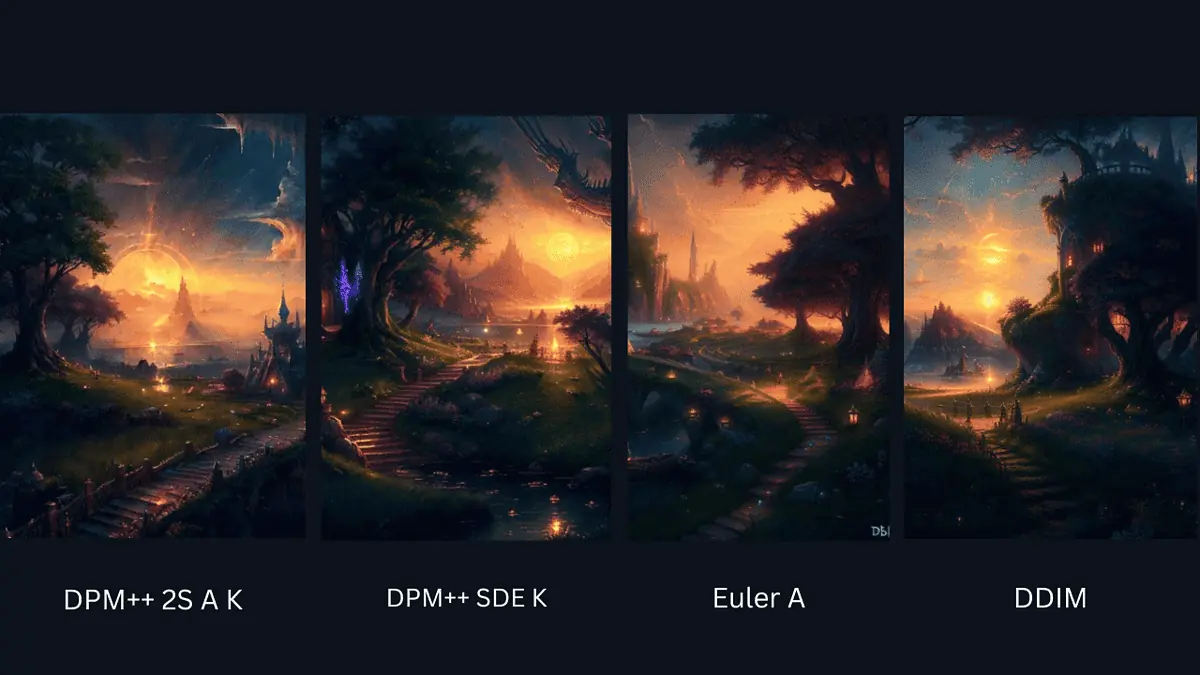
As you can see, the results are similar and the image quality is good.
One thing I don’t like about Neural Love is that there is very little room to test its features. Only 5 credits can be earned. Creating an HD image costs 2 credits, so if you plan carefully you can create 2 images.
Compared to SeaArt AI, which starts with 150 credits, and image generation tasks, which cost 2-4 credits, Neural Love has a lower initial credit balance.
image to image generator
The platform’s image-to-image generator is called AI Image Variation.
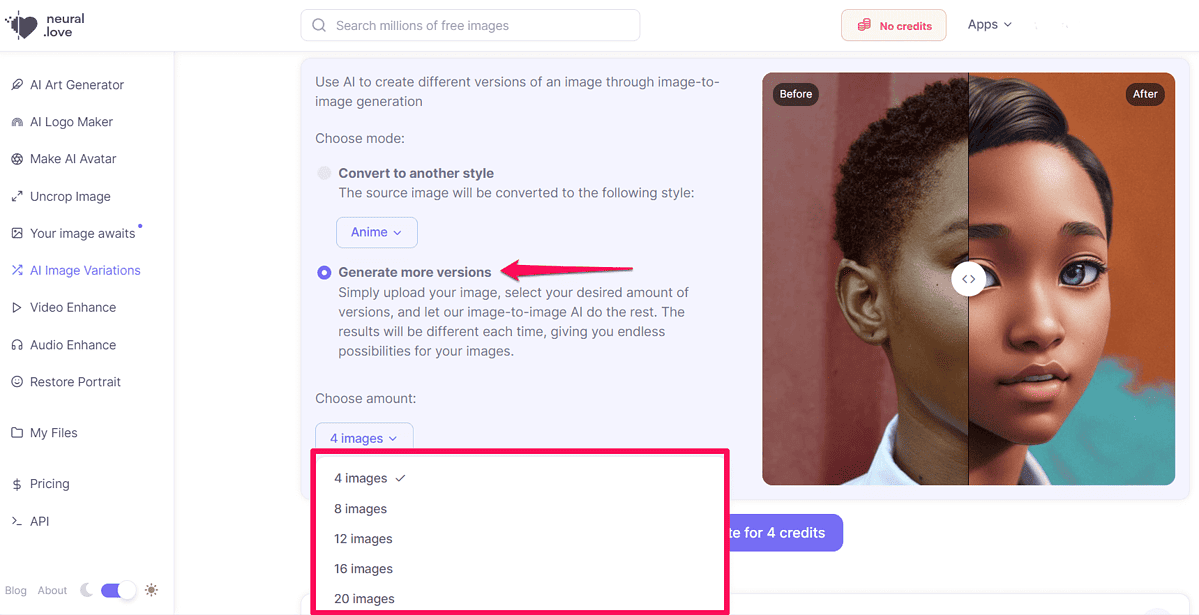
Once you’ve added your images, you can choose how many versions you want the tool to generate. Alternatively, you can choose one of the categories mentioned above and change the style, giving you more variety in your images.
Other image tools
Apart from the tools we have considered so far in this Neural Love review, there are a few more options in the AI platform that caught my attention.
One of the most interesting is custom AI models. You can create one by uploading 20 or more images and training an AI model. It can be used in place of DALL-E and Neural Love’s AI models to generate truly unique images.
The platform also has an Uncrop tool to extend the dimensions of existing images. Very useful for changing aspect ratio and using photos on various social media sites.
Neural Love also offers tools to improve image quality and color. Repair or enlarge blurry images or create colorful versions of black and white images.
Now, let’s move on to the next chapter of this Neural Love review.
How to use Neural Lab
To start using this platform, please follow these steps:
Visit the Neural Love website and click the (Sign Up) button.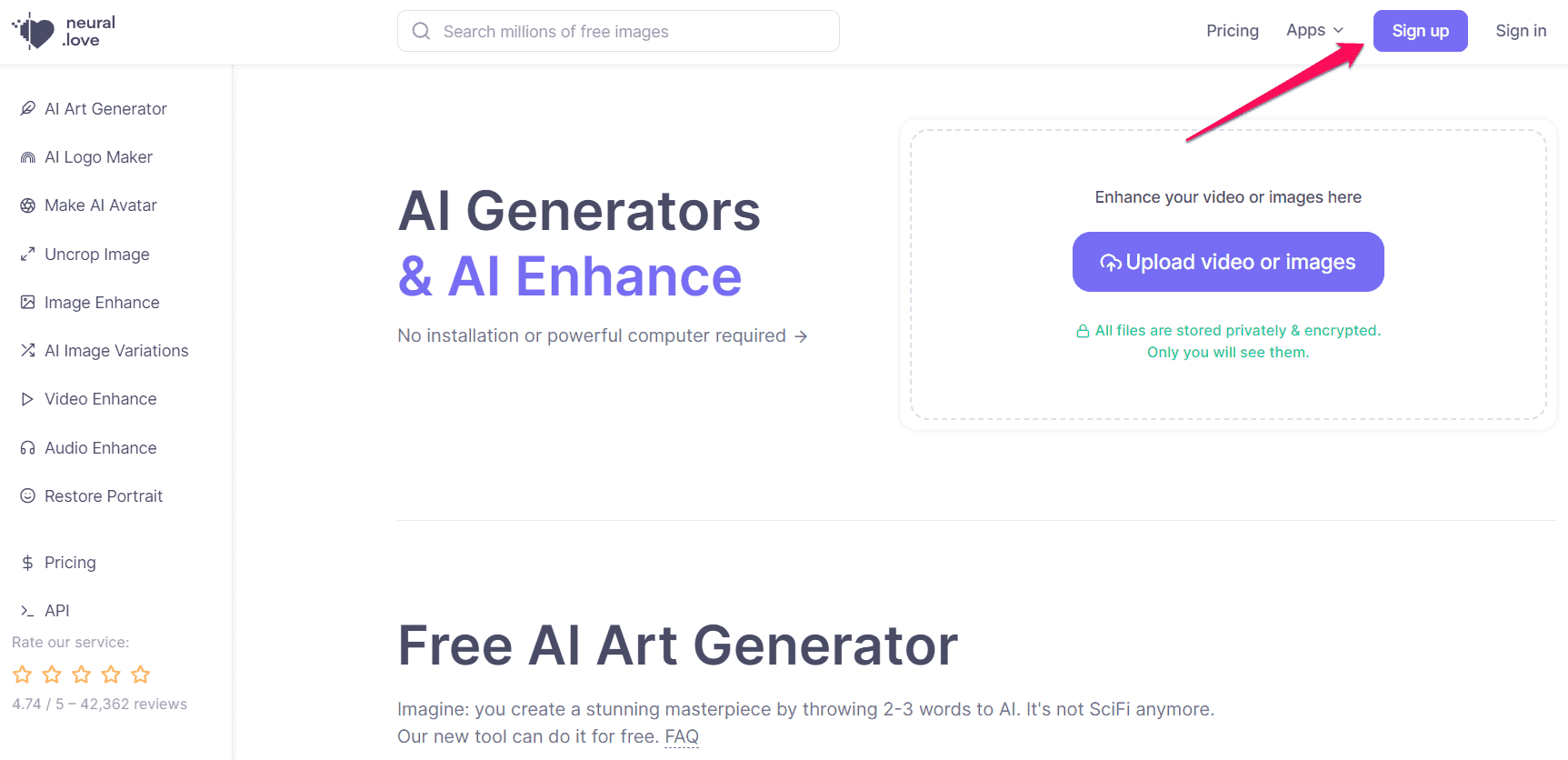
Enter your email address and create a password on the next screen.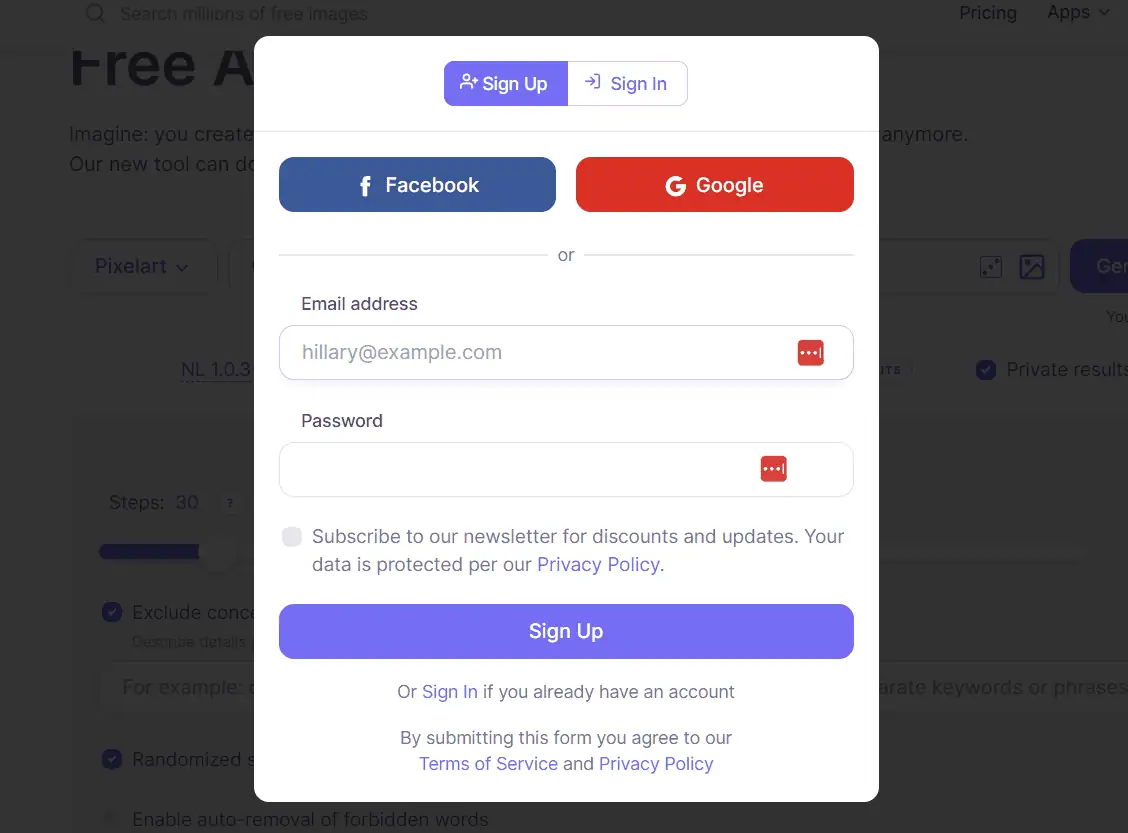
You will receive a verification code. Enter that and you’ll be taken to a dashboard. Here, select “AI Art Generator” on the left side of the screen.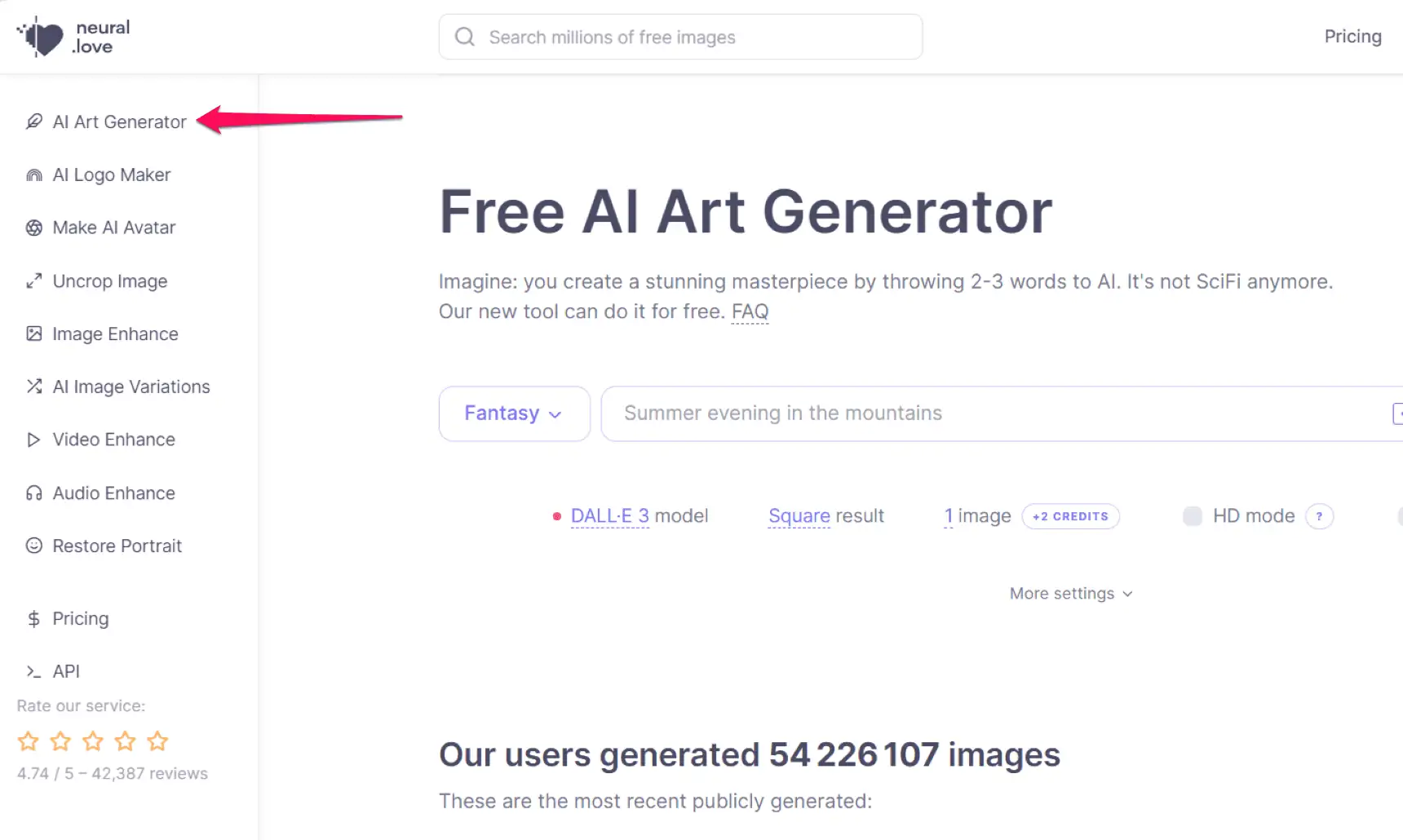
Then select an image category and fill in the prompts.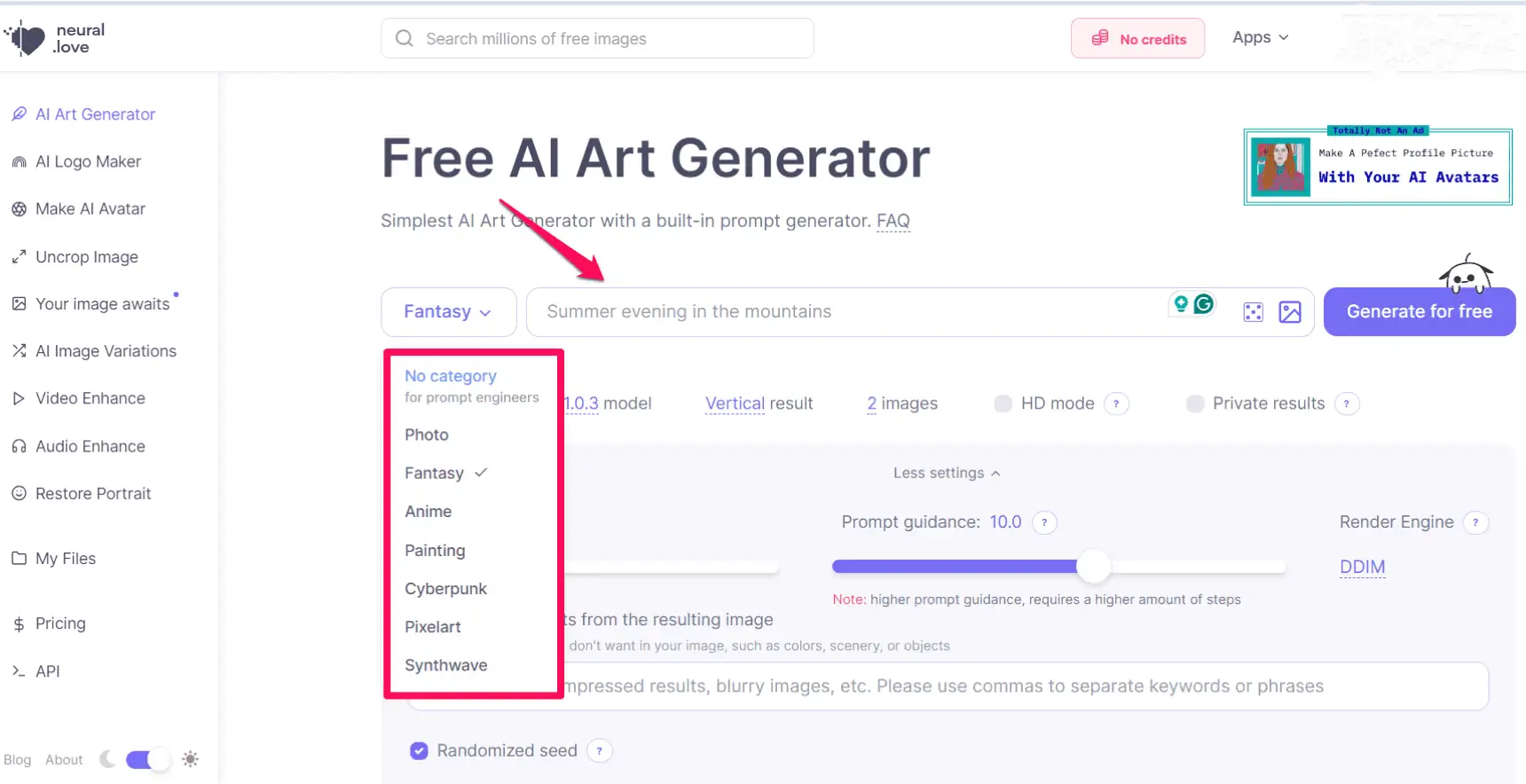
Optionally, you can set the image dimensions, switch the Neural Love AI model to DALL-E 3, enable the HD option, and make the image private. Please note that these adjustments cost 3 credits. So if you want to try this tool for free, be sure to use NL 1.0.3. Select the AI model and turn off HD mode. Click the “Generate” button and wait for the results. that’s it!
Before we end this review, let’s discuss the pricing options available.
Pricing
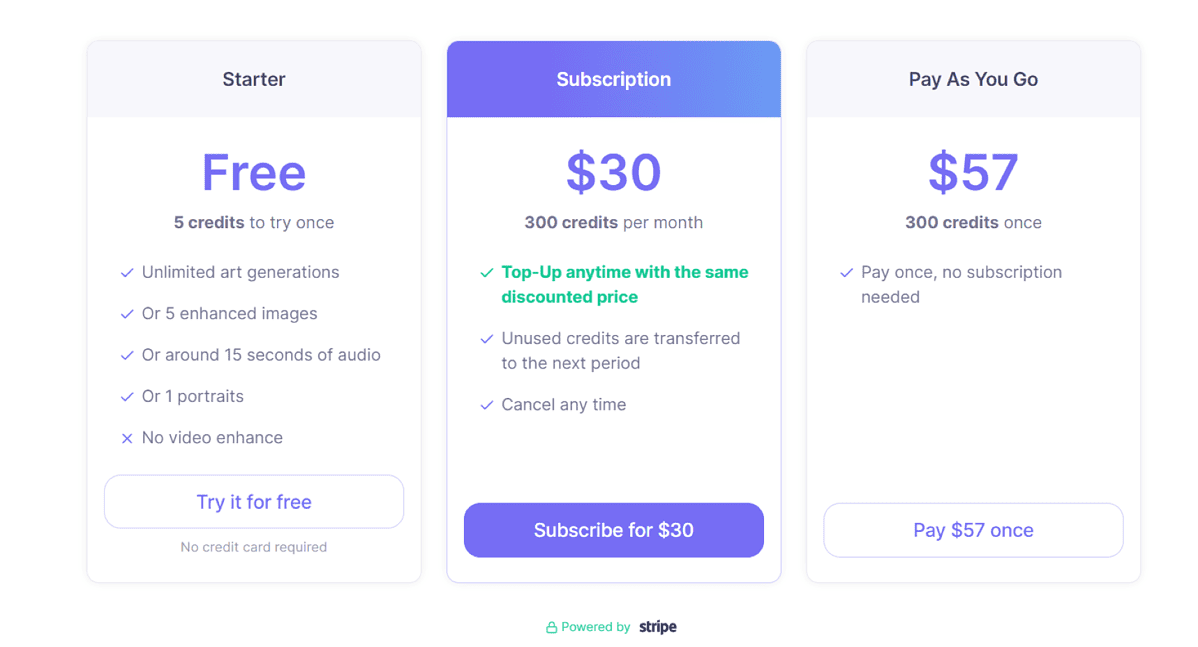
Neural Love is free to use as long as you turn off HD mode and use the platform’s default AI model.
However, if you want to take full advantage of the platform’s features, you will need credits.
At the beginning of this Neural Love review, I mentioned that you only get 5 credits. And it will run out quickly.
So if you want to get more, you have to subscribe. You can choose how many credits you want to get each month and pay a monthly fee.
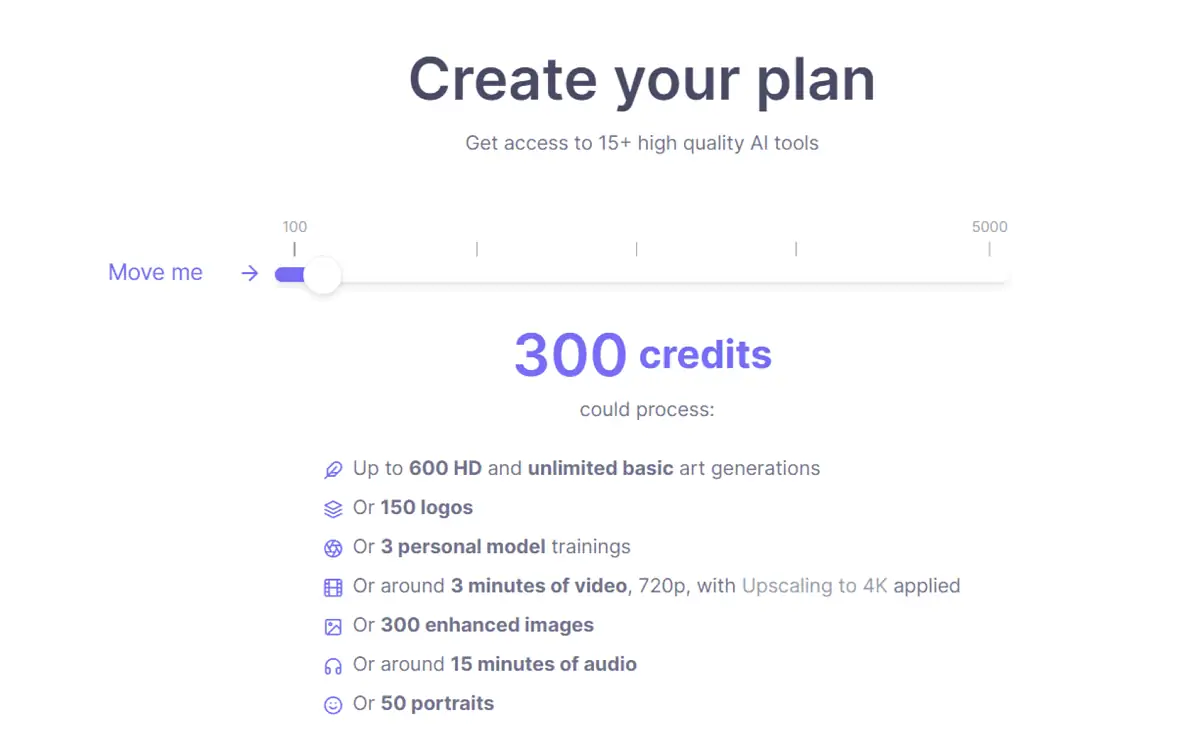
Another option is to use a pay-as-you-go model. In this scenario, you choose the number of credits you want to purchase, but you are not tied to a subscription plan. Once you have used up all your credits, you can purchase more.
Regarding refunds, Neural Love offers refunds for video enhancement projects. For other services, you should contact our support team and read the site’s terms of use.
Neural Love Review – Verdict
So is Neural Love a good AI art generator? The free AI model I used gave inconsistent results. Additionally, the free version doesn’t allow for much experimentation due to strict credit limits.
If you want to use all the tools of the platform and take advantage of DALL-E 3 AI models and HD images, you need to subscribe.
We recommend that you also consider other paid AI art generators before making your final decision.
That’s all for Neural Love’s review. Have fun and explore this AI art generator.

