


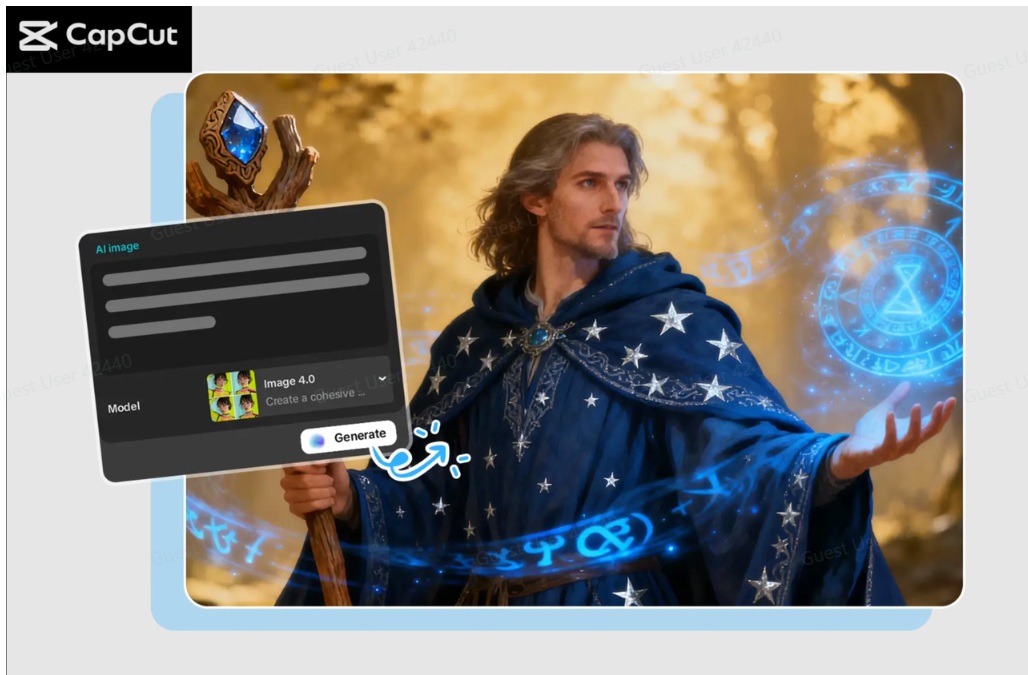
The process of converting creative ideas into polished works of art used to require sophisticated design or expensive software. But with AI tools, visual creation has become more accessible, faster, and easier. CapCut PC is one of the most effective platforms for creating and editing images and turning simple prompts into high-quality paintings. Even if you’re not a designer or content creator, CapCut’s AI can help bring your ideas to life.
In this article, we’ll discuss CapCut PC’s capabilities as an AI image generator, how you can use this tool to transform your ideas into beautiful images, and why this technology has become an important tool among creators. Also, follow the steps to work with AI images and export them in higher quality. At the end, you’ll learn how to create high-quality artwork with minimal effort.
Why CapCut PC is a powerful AI art tool
CapCut is also known for video editing, but now advanced AI image features have been developed that allow users to create images in seconds on the desktop version. This tool aims to simplify the creative process, and now you can create illustrations, characters, backgrounds, and even conceptual images using simple text prompts.
This is why creators prefer using CapCut PC for creating AI artwork.
Multiple AI models for diverse art styles
CapCut offers Nano Banana Pro, Seedream 3.04, Seedream 3.1, and Flux 1.1 Pro. Both models have their advantages. One of these is more realistic and the other is a more artistic or stylized drawing.
Easy editing and extension tools
In addition to image creation, CapCut includes background removal, sharpening tools, style filters, and automatic color correction. This allows you to perfect your final artwork even if you don’t have sophisticated design software.
High resolution output
If you’re designing artwork to use as social media banners, video thumbnails, or other printable materials, CapCut lets you export images up to 4K and 8K. This will keep your photos clean and professional.
Built-in branding support
Users in need of logo styles and brand icons can also be assisted with tools similar to the AI
3 steps to generate AI artwork with CapCut PC
Step 1: Open CapCut Desktop
The first step is to install CapCut Desktop and log in. Once logged in, select the Create Project option on the home interface. This will take you to a new workstation with full access to the media panel, AI, timeline, and editing tools. The design is simple and well-structured, allowing you to immediately participate in the artwork creation process.

Step 2: Create the AI
For Media, go to AI Media. Enter a short description of the artwork you want to create and choose an AI model such as Nano Banana Pro, Seedream Series, or Flux 1.1 Pro. You can also upload a reference image for more accuracy. Enter an aspect ratio, such as 16:9, and press Regenerate to see multiple variations. Choose your favorite and use more AI editing tools in CapCut.
Step 3: Export and share
Once you’re happy with your final artwork, simply use the three horizontal lines above the preview box on the right side of your screen. Next, go to the (Export Still Frames) option, name your project, and select the export resolution (4K or 8K, etc.). Last but not least, in the drop-down menu on the right, click (Export) and select a resolution to not only view your finished AI artwork, but also save it to your computer for use or sharing.
Tips for creating better AI artwork with CapCut PC
CapCut’s AI tools are very powerful, but you can achieve even better results with your creations by taking a few digital art considerations into account. Below are some suggestions.
Create clear and detailed prompts
The narrower the concept, the stronger the interpretation by the AI. Add phrases like style, atmosphere, light, character details, etc. if you need something in particular.
Use reference images
If you’re trying to achieve a specific art style or maintain consistency with your character, it’s more efficient to upload references to guide the AI
Experiment with different AI models
Each AI model produces a different art style. Seedream is better suited for cinematic or highly stylized visuals, while Flux 1.1 Pro will likely render improved artwork.
Enhance your artwork using CapCut editing tools
Apply AI filters, automatic enhancement options, and color correction to perfect the generated images and add a professional touch.
Create brand visuals
If your artwork requires branding or iconography, or if you want a design that maintains elements that round out the overall look, you can use the same type of tools that the AI
final thoughts
CapCut PC has significantly developed its brand image as more than just a video editor. With its AI image generation feature, it also serves as a powerful creative platform that turns your imagination into beautiful works of art. Integrating user-friendly features, various AI models, and quality of export, CapCut can be an achievable goal for all beginners and experienced users, and provide brands with the opportunity to envision their ideas easily.
If you’re an artist in need of inspiration, a content creator who needs to create your own unique images, or just want to enjoy digital art, CapCut PC as an AI image generator will fundamentally change the way you work creatively. With a few prompts and a few steps above, you can turn your ideas into high-quality, vibrant works of art in minutes.
CapCut PC is one of the most powerful and user-friendly AI art tools on the market today. Perfect if you’re already looking to open the door to a world of creative possibilities.


